
CS2 skin upgrader: upgrade Counter-Strike 2 skins online on Ezzz Skin
The upgrader is a mode where you stake your CS2 skins for a more expensive item. Pick up to 4 skins from your inventory, add flames from your balance if you like, choose the desired skin or a multiplier — and the wheel shows the upgrade chance before you start. Win, and the new skin is in your inventory; lose, and the staked items are gone.
Updated: October 9, 2026
Quick facts
- Where to play
- ezzzskin.com/upgrade and the @ezzzskinbot Mini App
- Stake
- Up to 4 skins worth over $0.5 each + flames from your balance
- Target
- Any skin from the list or an x1.2, x1.6, x2, x5, x10 multiplier
- Chance
- Shown in advance: high, medium or low
- Result
- “Success” — the skin is in your inventory; “Failure” — the stake is lost
- Steam withdrawal
- Within 5 minutes after you confirm
What is a CS2 skin upgrader
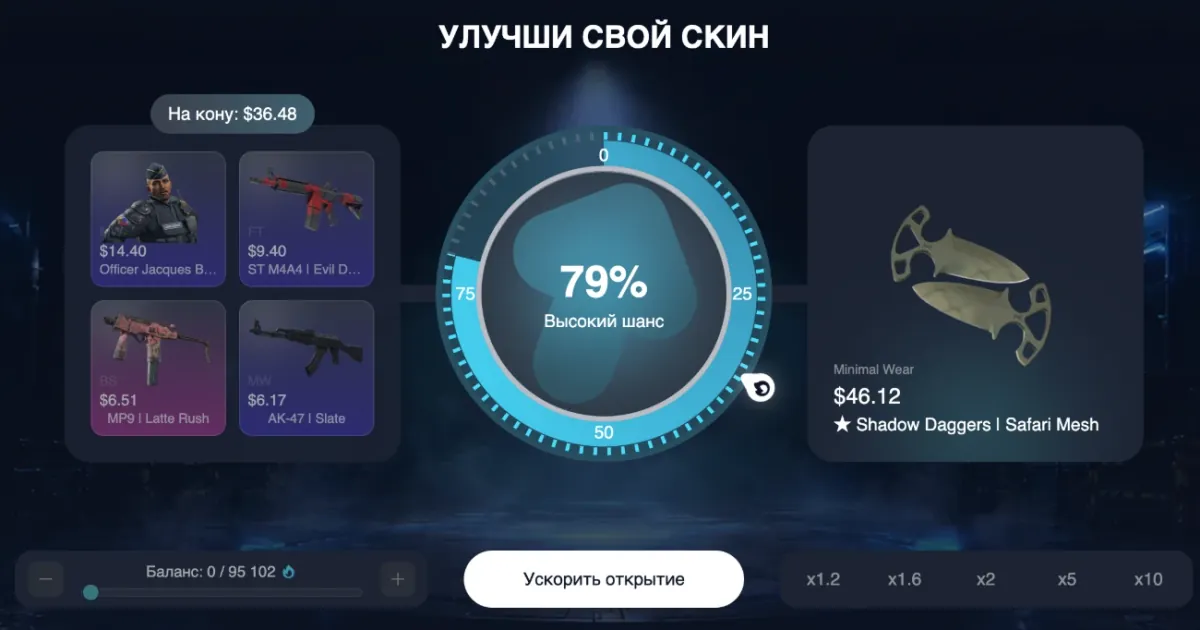
An upgrade is a trade with risk: you give one or several skins and get a chance to receive a more expensive item. The bigger the price gap between your stake and the target, the lower the chance. For example, staking skins worth $36.48 for a $46.12 knife gives about a 79% chance (“High chance”), while trying to multiply the stake tenfold gives a much lower one.
On Ezzz Skin the upgrader works in the browser on ezzzskin.com and in the Telegram Mini App, and you can stake skins dropped from cases, received in contracts or in EzzzPass.
How to upgrade a CS2 skin on Ezzz Skin
Open the upgrader
Go to the “Upgrader” section on ezzzskin.com or in the @ezzzskinbot Mini App.
Choose what you give
In the “You give” block select up to 4 skins from your inventory, each worth over $0.5. The stake total appears above them as “At stake”.
Add balance (optional)
Use the “Balance” slider to add flames to the stake — this raises the chance. Upgrading with balance still needs at least one selected skin.
Choose the target
In the “You receive” block find the desired skin with search and price sorting, or pick a multiplier — x1.2, x1.6, x2, x5 or x10 — that sets how much more expensive the target is than the stake.
Check the chance and spin
The wheel shows the upgrade chance in percent and a label — high, medium or low. Start the upgrade; “Speed up” spins the wheel faster.
Collect the result
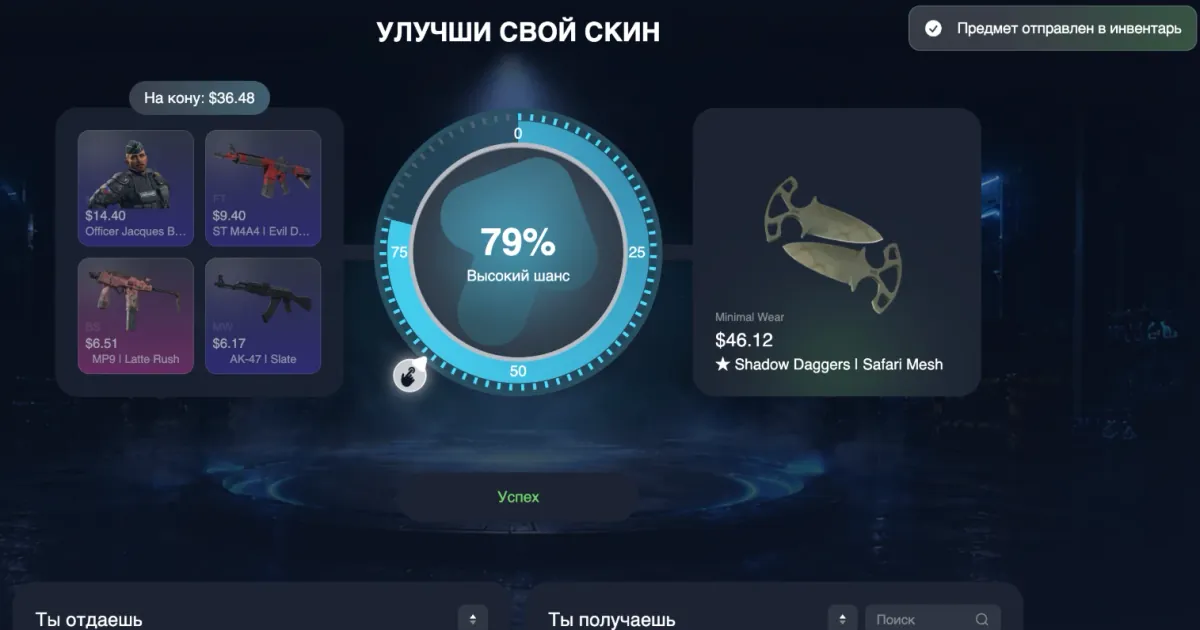
If the pointer stops in the coloured sector, it is a “Success” and the new skin is sent to your inventory. Cash it out to Steam, sell it or upgrade it again.
How the upgrade chance is calculated
The chance depends on the ratio between your stake and the price of the desired skin. The coloured arc on the wheel is your winning zone: the longer it is, the higher the chance. Rough guide:
| Multiplier | Example: $10 stake → | Approximate chance |
|---|---|---|
| x1.2 | skin worth $12 | ≈ 83% |
| x1.6 | skin worth $16 | ≈ 62% |
| x2 | skin worth $20 | ≈ 50% |
| x5 | skin worth $50 | ≈ 20% |
| x10 | skin worth $100 | ≈ 10% |
These figures are approximate: the exact chance is always shown on the wheel before you start, so rely on it. Example from the screenshot: a $36.48 stake (4 skins) on ★ Shadow Daggers | Safari Mesh worth $46.12 gave a 79% chance.
Ezzz Skin upgrader features
Up to 4 skins at stake
Combine several cheap skins into one stake to go for a more expensive item.
Balance in the upgrade
Add flames to your skins to bring the chance to a comfortable level.
x1.2–x10 multipliers
Quick target choice: from a careful x1.2 to a risky x10.
Skin search
Find the knife, gloves or AWP you want by name and sort by price.
Chance before the start
The percentage and the “High / Medium / Low chance” label are visible in advance — no surprises.
Speed up
Do not want to wait for the animation? Spin the wheel faster.
Skin upgrade tips
- High chance (x1.2–x1.6) is for growing your inventory step by step; x5–x10 only for skins you are ready to lose.
- Remember: on failure the staked skins are lost. Before upgrading an expensive item, compare the chance with what you risk.
- Combine modes: collect cheap skins from cases into a contract, then upgrade the result. Contracts →
- No items yet? Start with the Case of the Day — it has the best loot for today. CS2 Cases →
- No strategy guarantees success: every upgrade is an independent random event.
Cases, upgrader or contracts: which mode to choose
| Mode | What you put in | What you get | Risk |
|---|---|---|---|
| CS2 Cases | Flames (the case price) | A random skin from the case contents | Depends on the case: low, mid or high |
| Upgrader | Up to 4 skins + flames | The skin you picked — or nothing | You choose it: from x1.2 to x10 |
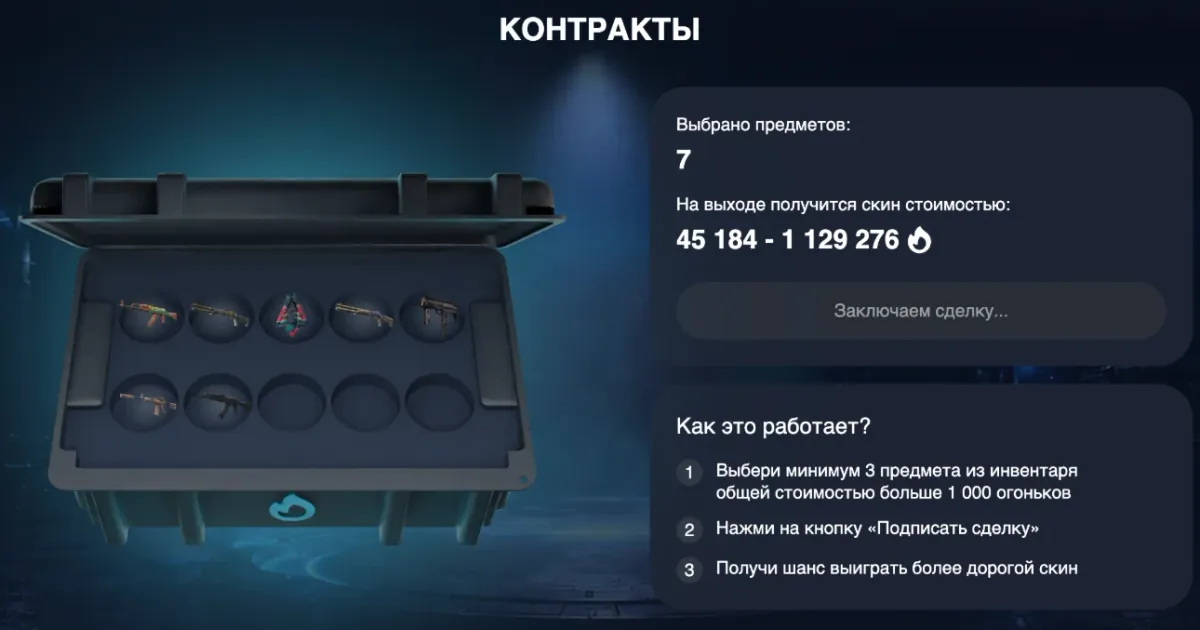
| Contracts | 3–10 skins worth over 1,000 flames | One skin within the shown price range | A skin is guaranteed, only its price varies |
FAQ
What is an upgrader in CS2?
It is a mode on CS2 skin sites: you stake your items for a chance to trade them for a more expensive skin. On Ezzz Skin the upgrader is available on ezzzskin.com/upgrade and in the @ezzzskinbot Telegram bot.
How many skins can I stake in an upgrade?
Up to 4 skins from your inventory, each worth over $0.5. You can also add flames from your balance, but at least one skin must be selected.
How do I increase the upgrade chance?
Choose a cheaper target (x1.2–x2 multiplier) or increase the stake by adding skins or flames from your balance. The chance is recalculated instantly and shown on the wheel.
What happens if the upgrade fails?
The staked skins and flames are lost, so only stake what you are ready to lose.
Can I upgrade without a deposit?
Yes, if you already have skins — for example from free cases or from a case opened with the 250 starting flames.
Where does the skin go after an upgrade?
Straight to your inventory on the site (you will see “Item sent to inventory”). From there you can cash it out to Steam, sell it or upgrade it again.
Does the Ezzz Skin upgrader work in Telegram?
Yes, via the Mini App of the @ezzzskinbot bot — nothing to download.
Other Ezzz Skin game modes
Play responsibly
Cases, upgrades and contracts are games of chance: the result of every round is random and does not depend on previous ones. Play for fun, set a limit in advance and never try to win back losses. Users under 18 may use the service only with the consent of their legal guardians.