
CS2 cases: open Counter-Strike 2 lootboxes online on Ezzz Skin
CS2 cases on Ezzz Skin are lootboxes with Counter-Strike 2 skins that you open right in the browser on ezzzskin.com or in the @ezzzskinbot Telegram bot. Before opening you see the contents and the drop chance of every item, and the skin you win can be sold for flames, upgraded, put into a contract or withdrawn to Steam.
Updated: October 9, 2026
Quick facts
- Where to play
- ezzzskin.com/cases and the @ezzzskinbot Mini App
- Currency
- Flames 🔥 — your balance on the site
- New player bonus
- 250 flames for the first case
- Categories
- CS2, Bloggers, Memes, Films, Classic, Standard, Old Collection, Ezzzik
- Risk levels
- Low, mid and high
- Opening
- One or several cases at once
- Your drop
- Sell, take to inventory or cash out to Steam
- Steam withdrawal
- Within 5 minutes after you confirm
What are CS2 cases (lootboxes) on Ezzz Skin
In Counter-Strike 2 a case is a container with a set of skins: you open it and get a random item, and the rarer the skin, the lower the chance. Lootboxes on Ezzz Skin follow the same logic but without keys and the Steam Market: a case costs flames, opens in a couple of seconds and the result lands in your inventory on the site.
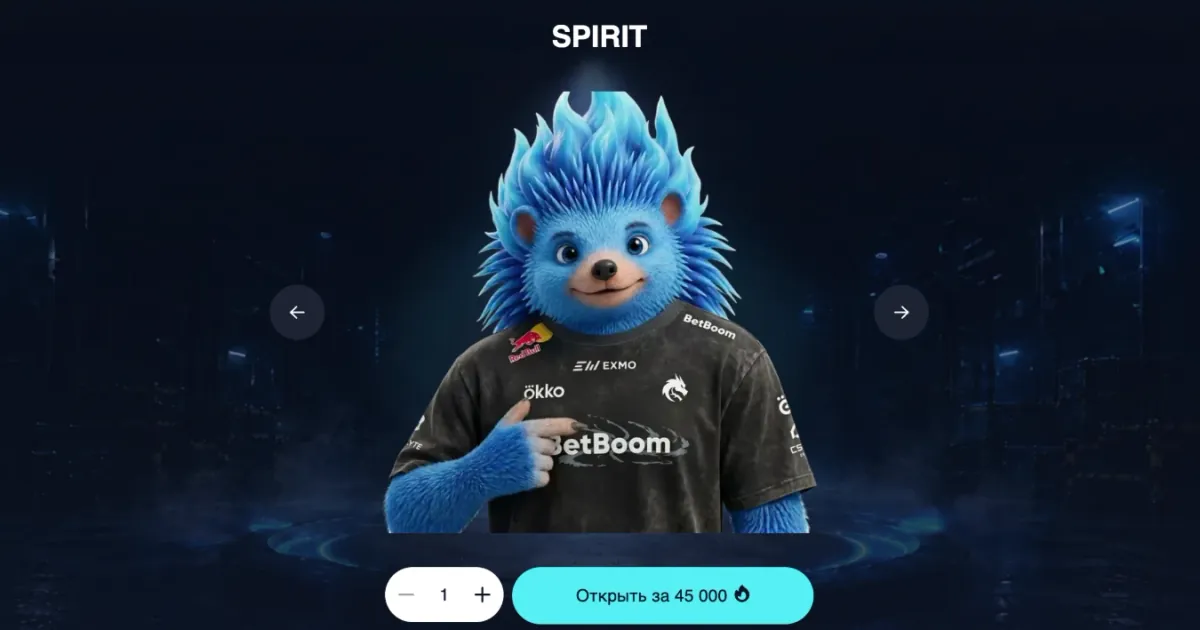
The catalogue has themed cases — team cases (like SPIRIT), blogger cases, memes, films, classic, standard and the old collection. Inside are rifles, pistols, knives, gloves and agents of every wear from Battle-Scarred to Factory New, including StatTrak™ versions.
Every day the site features a “Case of the Day” — the most profitable case of the day — and new players get 250 flames for their first case.
How to open a CS2 case on Ezzz Skin
Open the website or the bot
Go to ezzzskin.com in your browser (sign in with Steam) or launch the Mini App in the @ezzzskinbot Telegram bot.
Pick a case
Filter the catalogue by category, price and risk level, or sort by popularity, price and new arrivals.
Check the contents
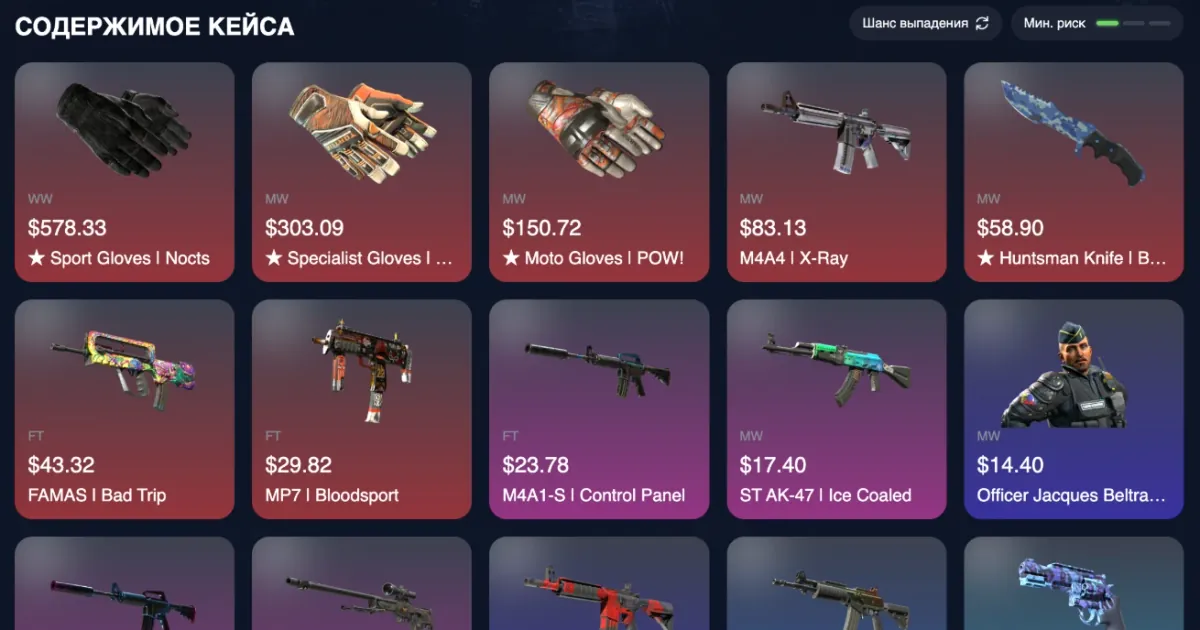
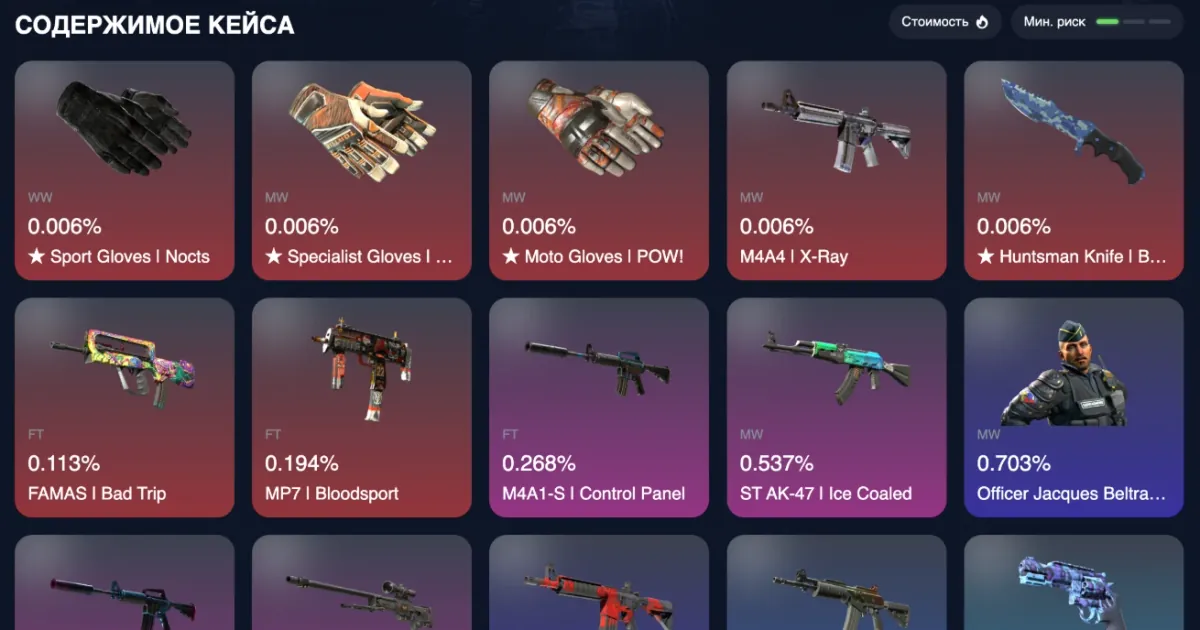
Below the case you see every skin with its price. Switch to “Drop chance” to see the probability of each item in percent.
Choose the quantity and open
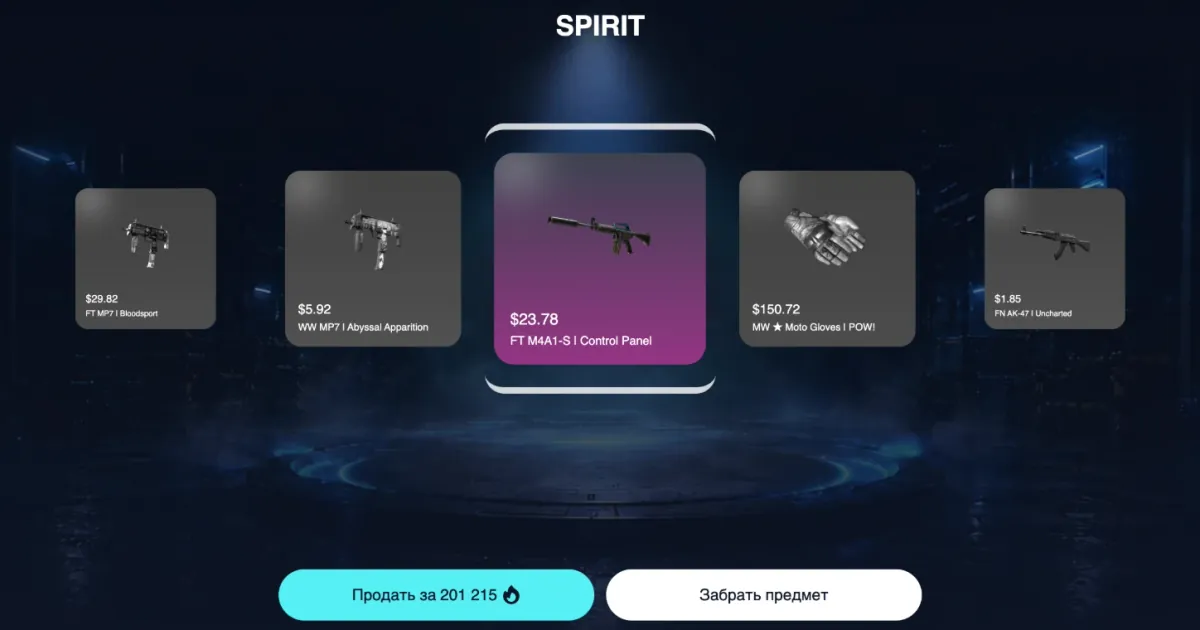
Use “−/+” to set how many cases to open at once and press “Open”. The roulette spins and stops on your skin.
Take or sell the skin
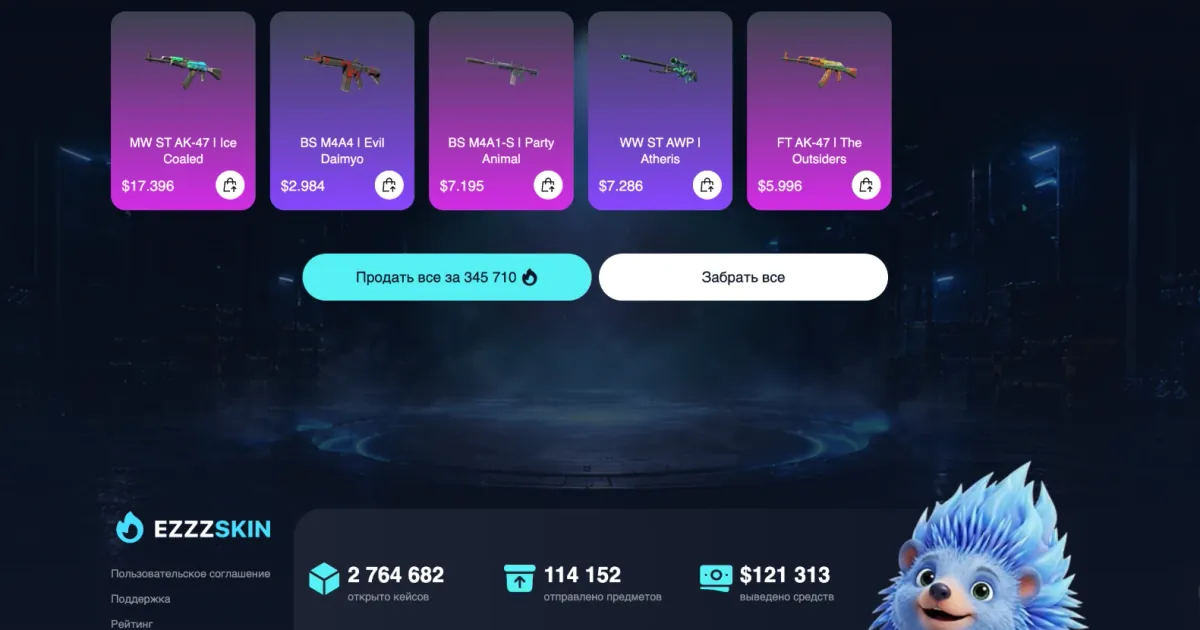
Press “Take item” to keep the skin or “Sell” to get flames back instantly. With several cases there are “Sell all” and “Take all” buttons.
Cash out to Steam
Add your Steam trade link and press “Cash out to Steam” in the inventory — the item arrives as a trade offer within 5 minutes after you confirm.
Risk levels and drop chances
Every case has a risk level that shows how chances are spread between cheap and expensive skins. The indicator is shown next to the case contents, and the catalogue can be filtered by risk.
| Risk level | How the case works | Who it suits |
|---|---|---|
| Low | Lower chance of expensive skins, but frequent payback | Players who want long, steady sessions |
| Mid | A balance of risk and payback | Most players |
| High | Focus on rare but large wins: knives, gloves, expensive skins | Jackpot hunters |
Chances are public: in the “Case contents” block press the “Drop chance” toggle and prices turn into percentages. In the SPIRIT case, for example, the gloves and the knife drop with a 0.006% chance, while cheaper skins drop from 0.1% to several percent.
Ezzz Skin case features
Multi-opening
Open several cases at once and sell or take the whole drop in one click.
Case of the Day
The most profitable case of the day — check the drop value yourself.
Free cases
In the Telegram version there are daily free cases and a mega case for a series of openings.
Live drop feed
See which skins other players are winning in real time and how many people are online.
Storage
Do not want to sell a skin? Put it into storage, get 45% of its value in flames instantly and take it back within 5 days.
Bonuses
Tasks with free flames, weekly cashback on Thursdays, a referral programme and the seasonal EzzzPass.
What to do with the skin you won
- Sell it for flames and open the next case.
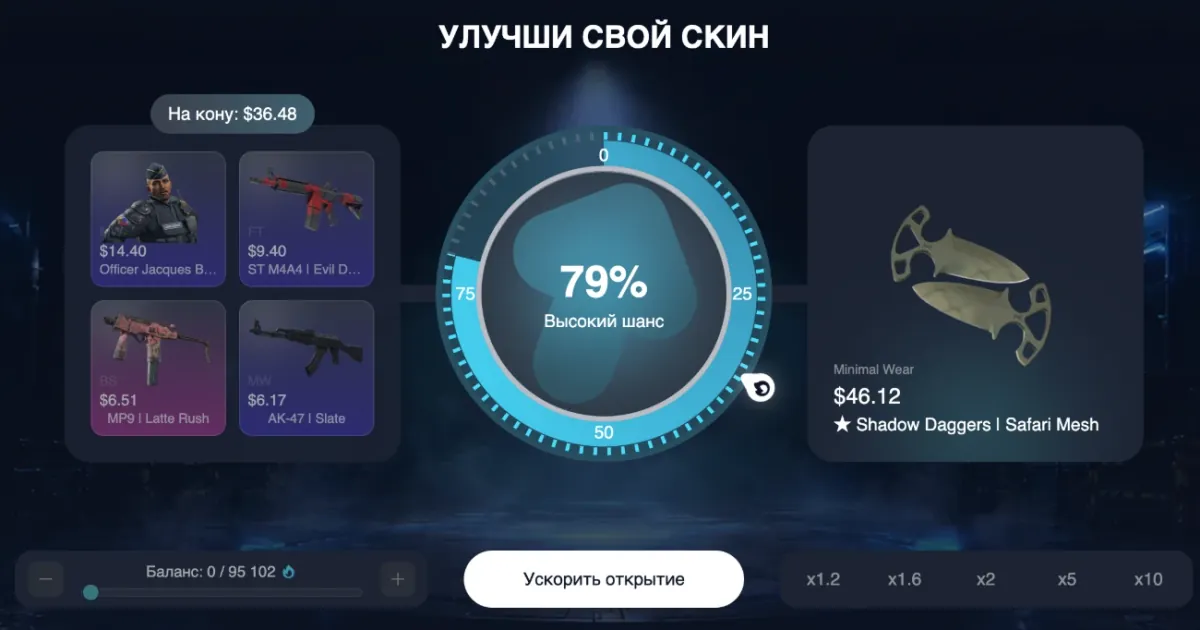
- Upgrade it in the upgrader — stake the skin for a chance at a more expensive one. Upgrader →
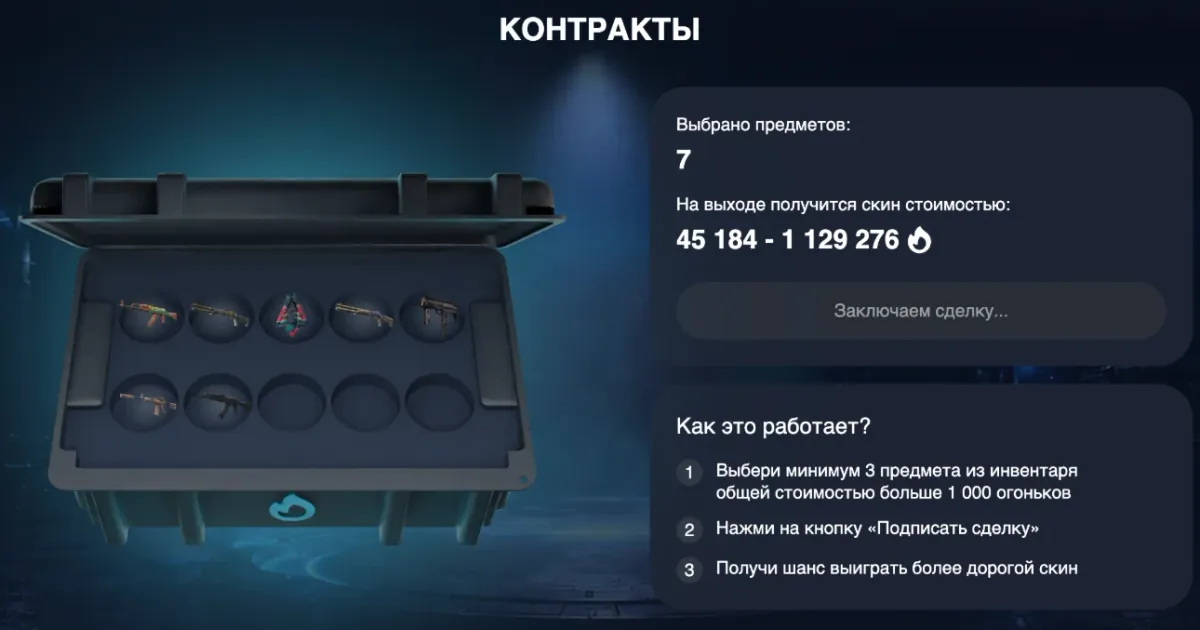
- Collect 3–10 cheap skins into a contract and trade them for one better skin. Contracts →
- Cash it out to Steam and use it in the game.
Tips: how to open cases wisely
- Look at the chances, not only at the case price: the “Drop chance” toggle shows the real probability of every skin.
- Pick a risk level that suits you: low for frequent payback, high for hunting knives and gloves.
- Start for free: 250 starting flames, daily free cases in Telegram and tasks.
- Every opening is random and independent of previous ones — there is no strategy that guarantees an expensive drop.
- Set a limit for the session in advance and stick to it.
Cases, upgrader or contracts: which mode to choose
| Mode | What you put in | What you get | Risk |
|---|---|---|---|
| CS2 Cases | Flames (the case price) | A random skin from the case contents | Depends on the case: low, mid or high |
| Upgrader | Up to 4 skins + flames | The skin you picked — or nothing | You choose it: from x1.2 to x10 |
| Contracts | 3–10 skins worth over 1,000 flames | One skin within the shown price range | A skin is guaranteed, only its price varies |
FAQ
Where can I open CS2 cases online?
On ezzzskin.com (the “Cases” section) or in the @ezzzskinbot Telegram bot via the Mini App.
Can I open a CS2 case for free?
Yes. New players get 250 flames for the first case, the Telegram version has daily free cases, and you can earn flames by completing tasks.
What are the drop chances?
Every item has its chance listed: open a case and press “Drop chance” in the “Case contents” block. Rare knives and gloves usually drop with a fraction of a percent, cheap skins much more often.
How do I withdraw a skin to Steam?
Add your Steam trade link, open the inventory and press “Cash out to Steam”. The item arrives as a trade offer within 5 minutes after you confirm — your Steam inventory must be public.
How are Ezzz Skin lootboxes different from cases in CS2?
In CS2 you need a key and the item only goes to your game inventory. On Ezzz Skin you do not need keys: cases are opened with flames, chances are visible, and the skin can be sold, upgraded, put into a contract or withdrawn to Steam right away.
What does “Low risk” on a case mean?
It is the risk level: low means fewer expensive skins but frequent payback, mid is a balance, high means rare but large wins.
Can I open several cases at once?
Yes. Set the quantity with “−/+” next to the “Open” button — after opening you can sell the whole drop or take everything to the inventory.
Other Ezzz Skin game modes
Play responsibly
Cases, upgrades and contracts are games of chance: the result of every round is random and does not depend on previous ones. Play for fun, set a limit in advance and never try to win back losses. Users under 18 may use the service only with the consent of their legal guardians.